
EZ Grader vs Online Grader: Which Is Faster for Teachers?
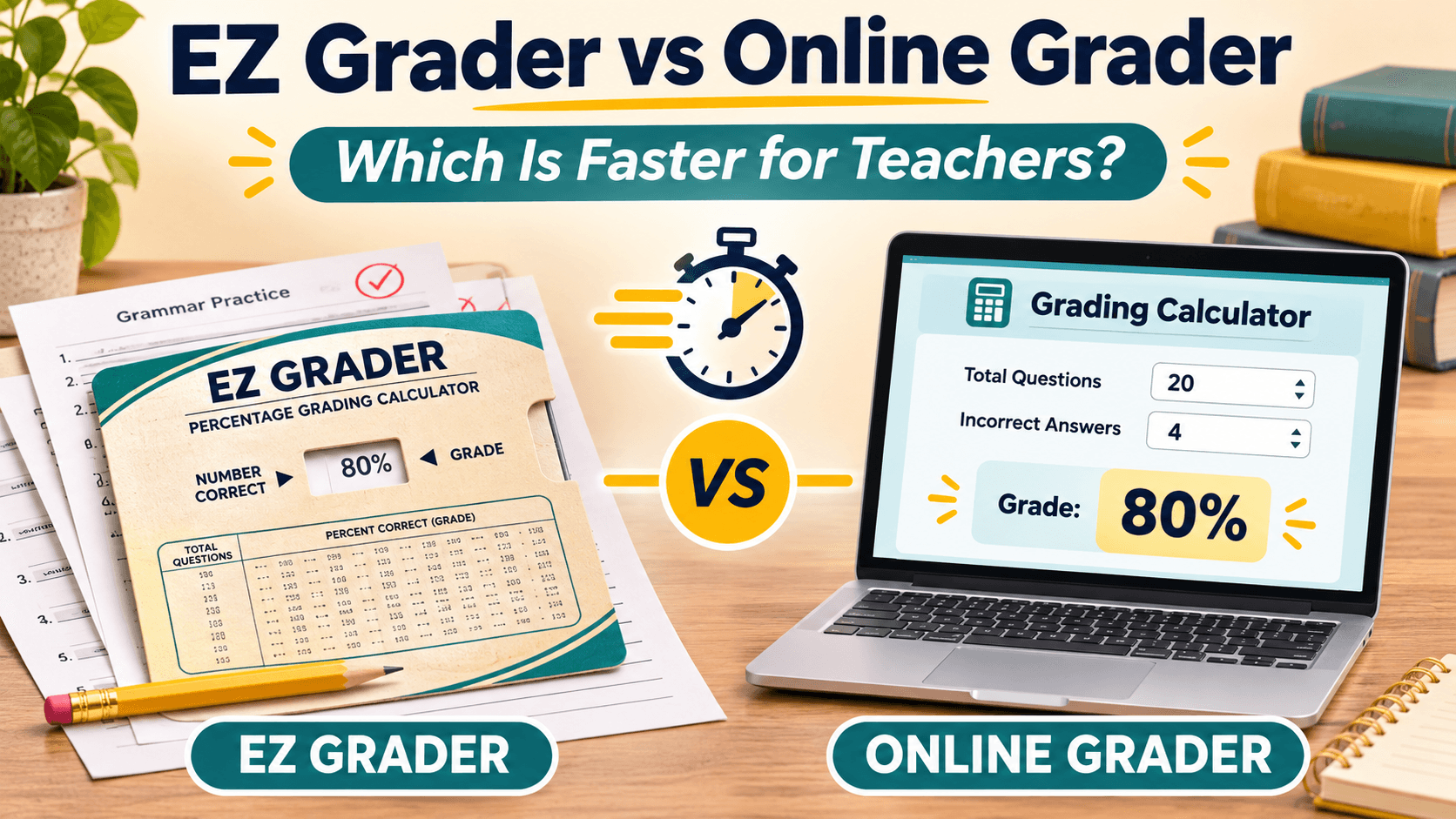
A physical EZ Grader and an online grader do the same job, and both are quick once you know the routine. The slide chart needs no screen and never runs out of power. An online grader handles any test length, lets you change letter grade cutoffs, and can save or print your results.
Try the Online Grader Live
Experience rapid grading with keyboard hotkeys (Space = +1 Wrong, R = Reset, S = Save):
Quick Grader Calculator
Quick Grade & Score Estimator for Teachers
Grading Chart for 25 Questions
Quick reference table showing scores and letter grades for every missed question
| Wrong | Correct | Score % | Letter Grade |
|---|---|---|---|
| 0 | 25 | 100.0% | A+ |
| 1 | 24 | 96.0% | A |
| 2 | 23 | 92.0% | A- |
| 3Current | 22 | 88.0% | B+ |
| 4 | 21 | 84.0% | B |
| 5 | 20 | 80.0% | B- |
| 6 | 19 | 76.0% | C |
| 7 | 18 | 72.0% | C- |
| 8 | 17 | 68.0% | D |
| 9 | 16 | 64.0% | D |
| 10 | 15 | 60.0% | D |
| 11 | 14 | 56.0% | F |
| 12 | 13 | 52.0% | F |
| 13 | 12 | 48.0% | F |
| 14 | 11 | 44.0% | F |
| 15 | 10 | 40.0% | F |
| 16 | 9 | 36.0% | F |
| 17 | 8 | 32.0% | F |
| 18 | 7 | 28.0% | F |
| 19 | 6 | 24.0% | F |
| 20 | 5 | 20.0% | F |
| 21 | 4 | 16.0% | F |
| 22 | 3 | 12.0% | F |
| 23 | 2 | 8.0% | F |
| 24 | 1 | 4.0% | F |
| 25 | 0 | 0.0% | F |
What is an EZ Grader?
The EZ Grader (often searched as "ezgrader" or "Quick Grader") is a printed slide chart. You set the total number of questions on the test by sliding the inner card, then read down the column to the number of wrong answers to find the percentage score.
Retail listings show the common models cover different ranges. One standard model scores any test up to 95 questions with up to 34 wrong. A large-print model covers up to 70 questions and 35 wrong. A "Long-Ranger" model covers up to 200 questions and 50 wrong.
What is an online grader?
An online grader is a browser tool that does the same calculation on screen. You enter the total number of questions and the tool shows the percentage, letter grade and GPA for any number wrong.
EZ Grader vs online grader: side-by-side comparison
| Factor | EZ Grader slide chart | Online grader (QuickGrader-style tool) |
|---|---|---|
| Setup | Slide to the question count | Pick a preset or enter the total |
| Test length | Limited by the model's printed range | Any length you enter |
| Grading scale | Fixed by the printed chart | Letter boundaries can be adjusted |
| Speed per paper | Very fast once set | Very fast with keyboard shortcuts |
| Saving results | None, so you write grades down | Can save to history in the tool |
| Printable chart | The chart itself | Generates a chart for your test length |
| Needs a device | No | Yes: phone, tablet or computer |
| Cost | Bought as a physical pack | Free to use at QuickGraders, no sign-up |
Which one is faster?
Per paper, the difference is small. A slide chart takes a glance. An online grader takes a tap or keypress per wrong answer. What actually changes your speed is setup and consistency.
The QuickGraders calculator, for example, has presets for common test lengths (10, 15, 20, 25, 30, 50 and 100 questions) and shortcuts: Space adds one wrong answer, R resets, S saves, and C opens the chart. For a stack of 30 quizzes with the same length, you can grade without touching a mouse.
When the same score gives different letters
Say a student misses 6 of 28 questions. That is 22 ÷ 28 = 78.6%.
| Grading scale | Letter grade for 78.6% |
|---|---|
| Plus/minus scale (C+ = 77–79%) | C+ |
| Simple 10-point scale (C = 70–79%) | C |
| 7-point scale (C = 77–84%) | C |
A printed chart shows one scale. An online grader that lets you change letter boundaries makes it easier to match the scale your school uses. Check out our Grading Scale Chart for complete percentage cutoffs, or review popular test examples such as our 15/20 Grade Guide and 16/20 Grade Guide.
When a physical EZ Grader is the better choice
- You do not want a screen open while grading, or phones are restricted in your room.
- You always grade the same test length on the same scale.
- You prefer a tactile tool you can keep in a folder.
When an online grader is the better choice
- Your quizzes vary in length, such as 12, 28 or 37 questions.
- You use a custom or school-specific grading scale.
- You want a printable chart of every possible score for a given test.
- You want students or parents to check a score themselves without handing over a physical tool.
How to grade a stack of quizzes with an online grader
- Open the QuickGraders calculator and select your total number of questions.
- Mark each paper, then press Space once for each wrong answer.
- Read the percentage and letter grade, and write it on the paper.
- Press R to reset and move to the next paper. Save the score if you want it in the tool's history.
- Print the chart for that test length if you want a quick reference at your desk.
What about the QuickGrader iPhone app?
There is also an iPhone app called QuickGrader from LZK Concepts. Its listing mentions adjustable grade scales, plus/minus grading, half-point values, pass/fail grading and point-based grade scaling, and it is free with an optional in-app purchase. It is a separate product from the QuickGraders website, so compare features to see which fits your device and workflow.
Is an online grader accurate?
Both tools use the same arithmetic: correct answers divided by total questions, times 100. The tool is rarely the source of errors. Mistakes usually come from miscounting wrong answers, misaligning a slide, or applying the wrong grading scale. Spot-check one paper by hand when you start a new test: for 20 questions with 4 wrong, 16 ÷ 20 = 80%.
FAQs: EZ Grader and online graders
What is an EZ Grader?
A printed slide chart that converts the number of wrong answers on a test into a percentage score.
Is there an EZ Grader online?
Yes. Online graders such as QuickGraders do the same calculation in your browser, with no sign-up needed.
Can I change the grading scale?
On a printed chart, no. QuickGraders lets you adjust letter grade boundaries to match your school's system.
Does an online grader work on a phone?
Yes. QuickGraders is designed to work on desktop, mobile and tablet screens.
What is faster, an EZ Grader or an online grader?
Per paper they are about equal. An online grader saves time when test lengths vary, when you need a custom scale, or when you want to print a chart.
Muhammad Suheer
Verified AuthorAcademic Scoring Specialist & Lead Developer
Muhammad Suheer is the creator and lead developer of QuickGraders. With an extensive background in educational software engineering and scoring standards, he builds high-precision calculation models, percentage-to-letter grade matrices, and classroom assessment tools relied upon by educators and students worldwide.
Grade Your Test Papers Online
Use our quick grade chart to calculate marks, percentages, and GPA for any test size.